Yamaha DTX
Use the module’s USB TO HOST connection or a MIDI interface, then power it on before selecting Connect MIDI. Install Yamaha’s driver only when the module manual requires it; otherwise prefer its class-compliant mode.
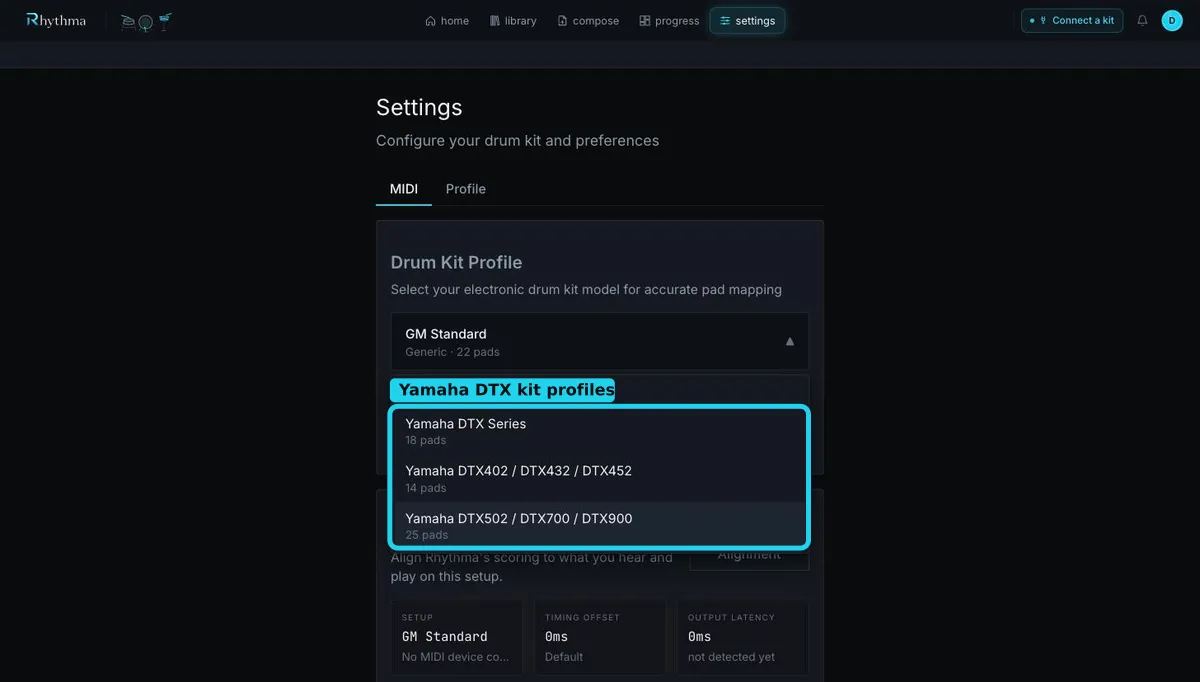
In Settings → MIDI, Rhythma provides Yamaha DTX Series, Yamaha DTX402 / DTX432 / DTX452, and Yamaha DTX502 / DTX700 / DTX900 profiles. Select the closest family and verify it with MIDI Monitor, especially snare rim, hi-hat pedal, and ride zones.
If a hit shows Unknown (Note …), the module and profile disagree. Check that the module is transmitting MIDI notes and that local trigger settings have not remapped them. For a deliberately customized kit, choose MIDI Learn — Create Custom Profile and follow the guided pad sequence.
The wizard separately asks for Hi-Hat (Closed), Hi-Hat (Open), and Hi-Hat Pedal. If those cannot be distinguished, verify the pedal/controller setup and MIDI note assignments on the DTX module. Trigger sensitivity, rejection, and crosstalk are configured on the module, not in Rhythma.
Still stuck? Email admin@rhythma.pro.
We use Google Analytics to understand how this site is used. See ourPrivacy and Cookies Policy.